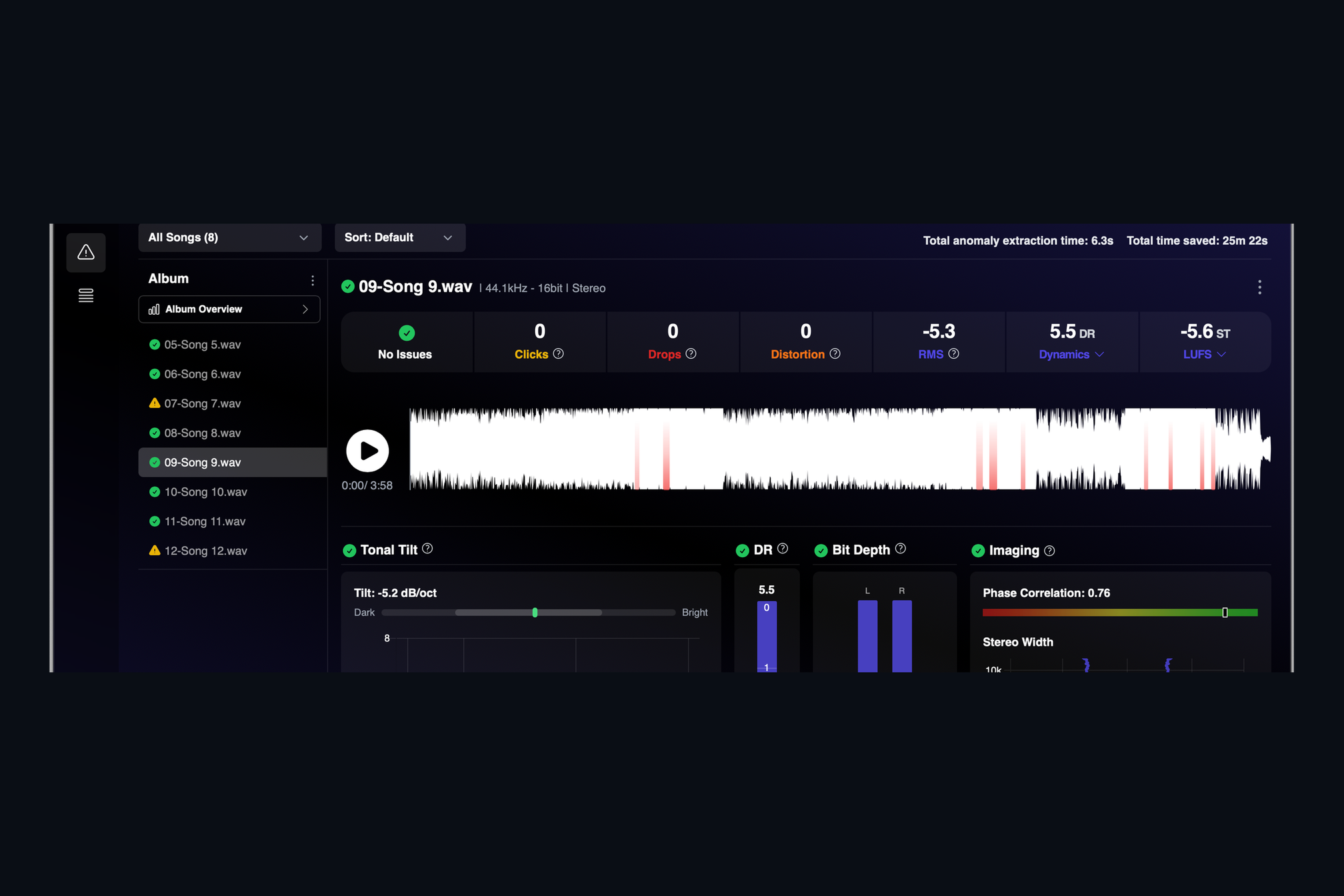
Every master leaves your studio with a promise attached: it is clean. The trouble is that the defects most likely to break that promise are tiny. A click lasts less than a millisecond. A dropout can be a few hundredths of a second of silence in a quiet verse. Clipping that happened three bounces ago leaves no trace on a peak meter. Listening through the album once more at the end of a long day is not a reliable way to find them.
AMIE listens for you. Drop in a WAV or FLAC and three detectors run through the whole file, every channel, in a few seconds:
- Clicks and pops. Sudden, needle-thin bursts of energy that do not belong to the music. Musical transients like snares and plucked strings are left alone.
- Drops. Moments where the signal falls away and comes straight back. Quiet intros, fades and natural pauses are not counted.
- Distortion. Flat-topped waveforms where the signal was pushed into a ceiling, even if the file was turned down afterwards.
What you see
Each song gets a row of tiles at the top: a green check or a warning, then the number of clicks, drops and distortion events. Below that is the waveform with every flagged region painted red, so you can click straight to it and hear it for yourself. A sensitivity slider lets you ask for a stricter or more relaxed pass, and the status badge in the song list tells you which tracks of an album still need a second look.
The point is not to replace your ears. It is to make sure that when you do sit down to listen, you already know where to look.
Keep reading
This post is part of a series that walks through everything AMIE does. See the whole list on the AMIE product page, or see plans and pricing.
- Next in the series: Integrated loudness, true peak and dynamic range