Learn More
Audio quality assurance has never been this easy.
Anomaly Detection
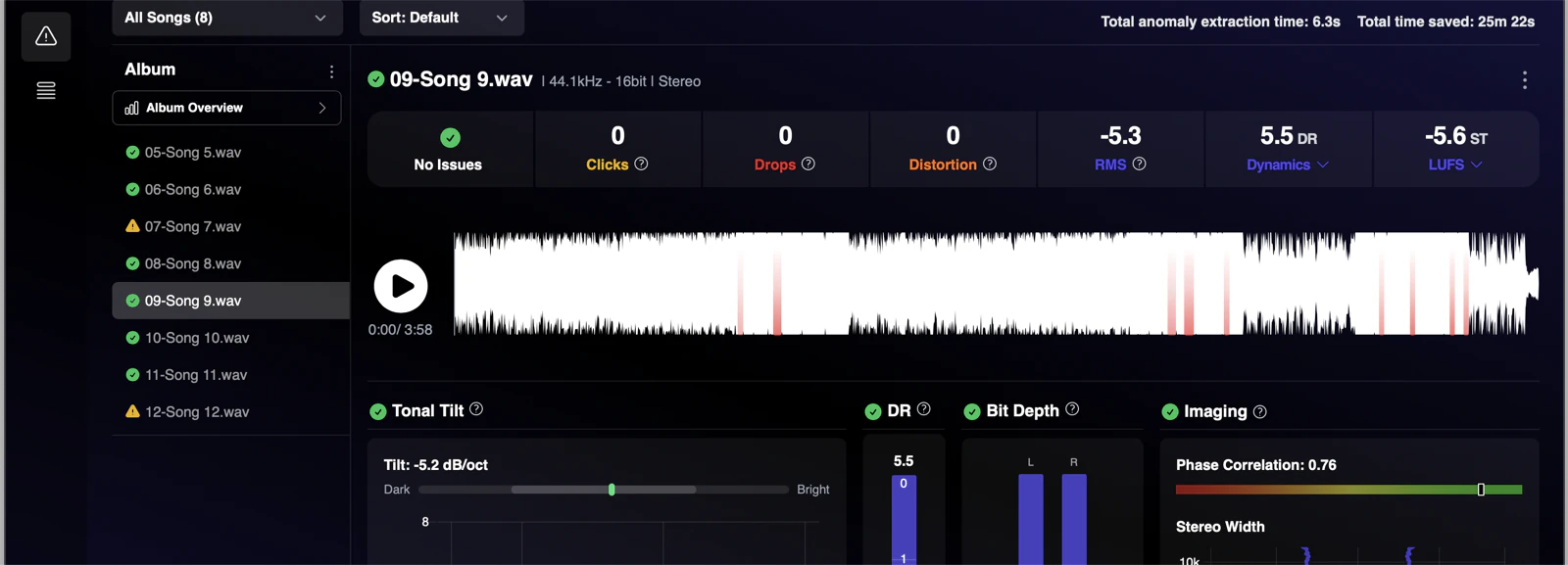
Find issues in seconds
Catch anomalies before they reach your listeners. In seconds, AMIE spots clicks, pops, drops, and distortion that human ears might miss. Whether you're prepping files for mastering or doing final QC, get the confidence that your tracks are ready before they hit the world.
Batch Processing
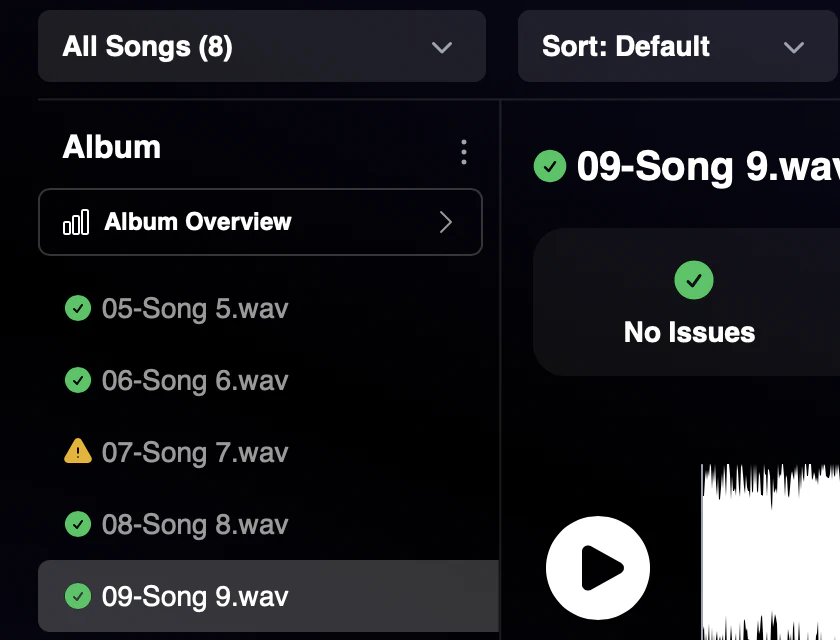
Analyze multiple songs at once
You can batch process multiple files, and within seconds, know which songs need to be addressed.
Watch Folder
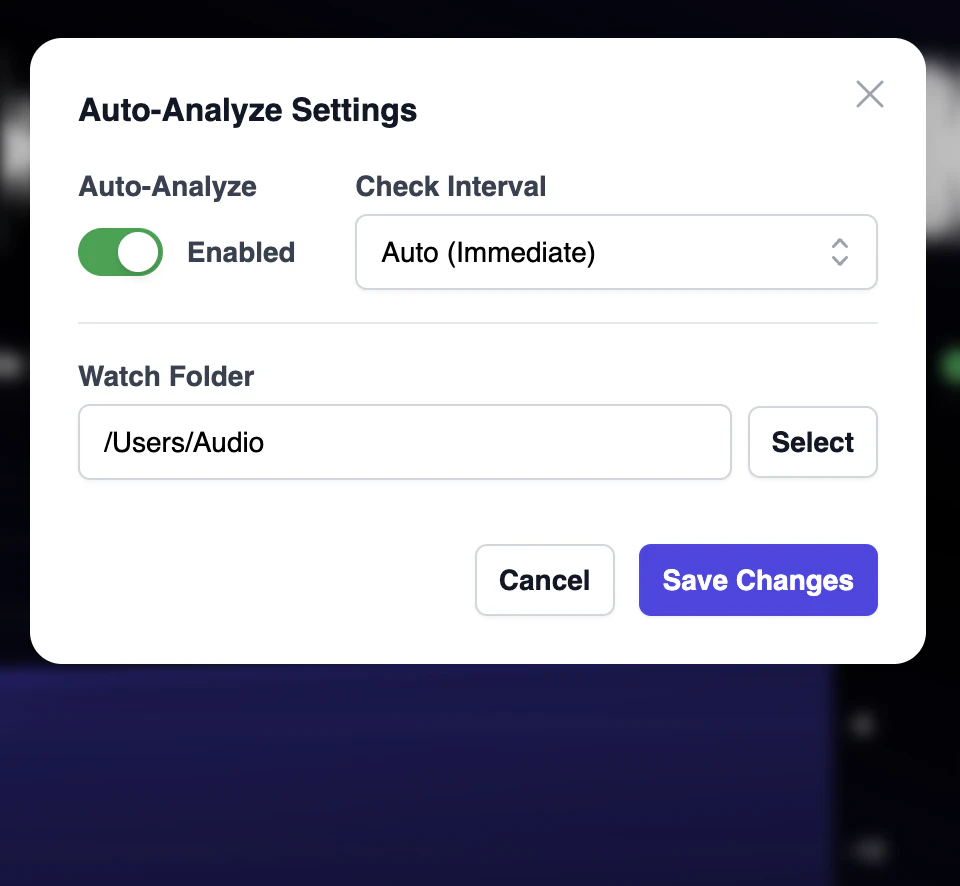
Auto-Analyze New Files
Automatically analyze new files in your watch folder, and get notified when there are issues.
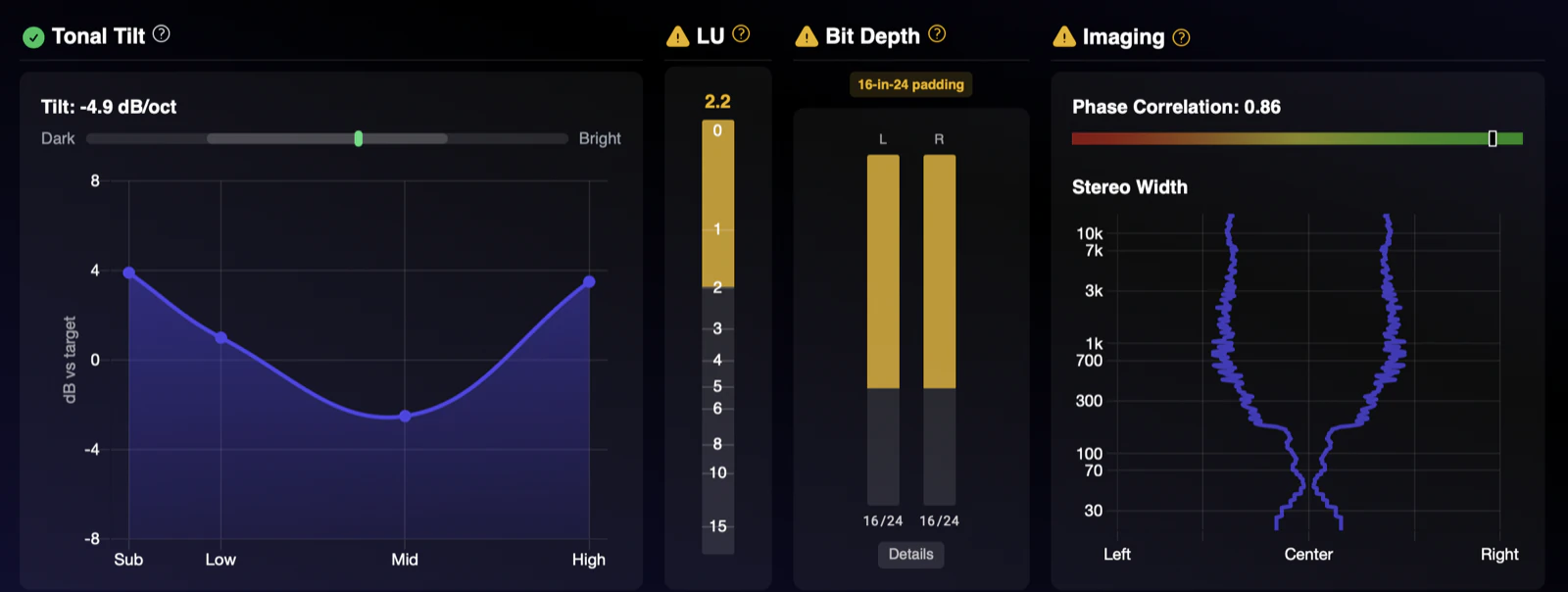
Loudness, Tone & Imaging
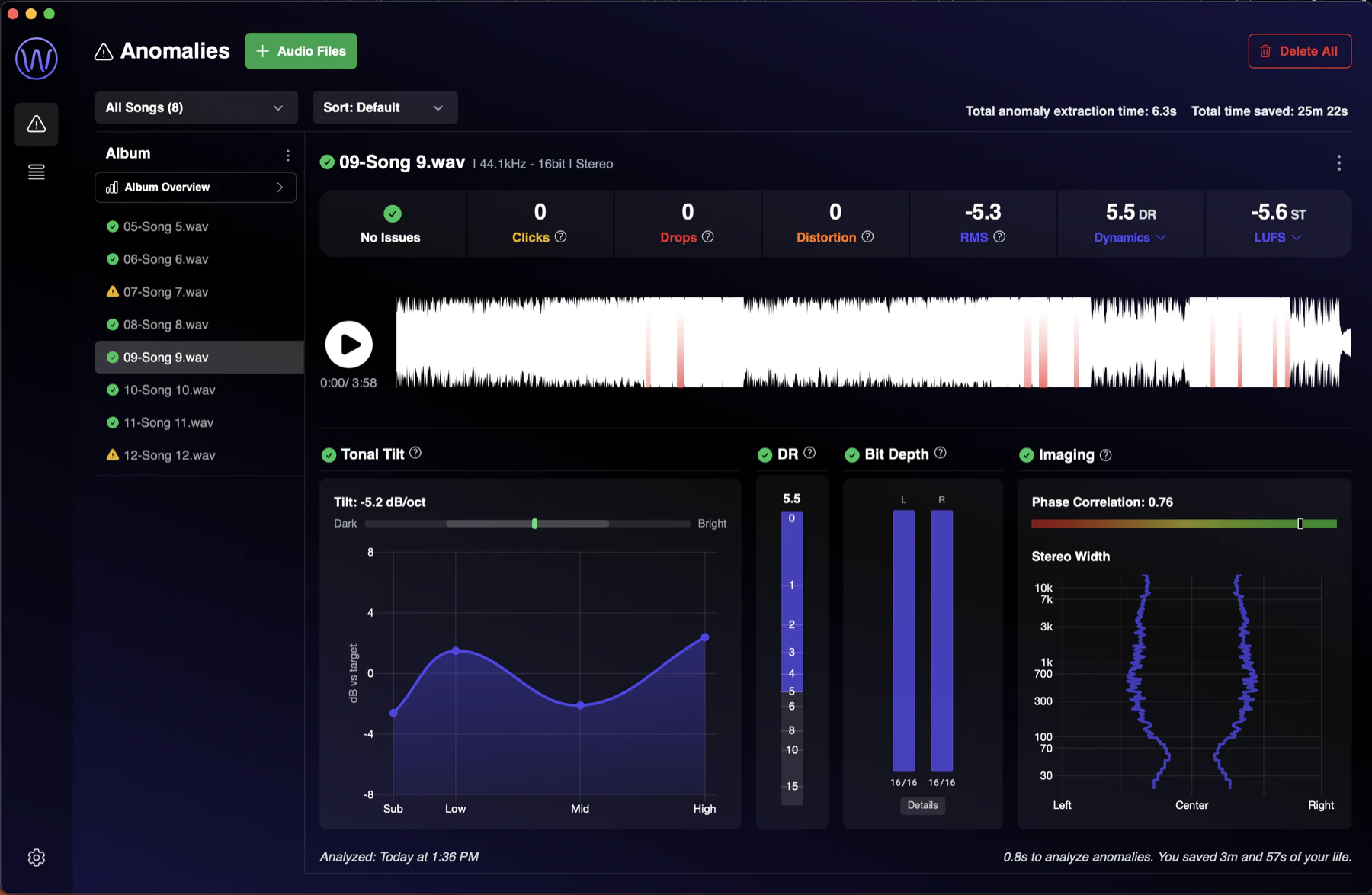
Check the vitals of your songs
At a glance, see the most important metrics for your songs: integrated loudness, true peak, dynamic range, tonal tilt, and stereo imaging. Get detailed feedback on what may need to be addressed so your songs have maximum impact across all streaming platforms and playback devices.
New in AMIE
Find it, fix it, and deliver it, all in one place.
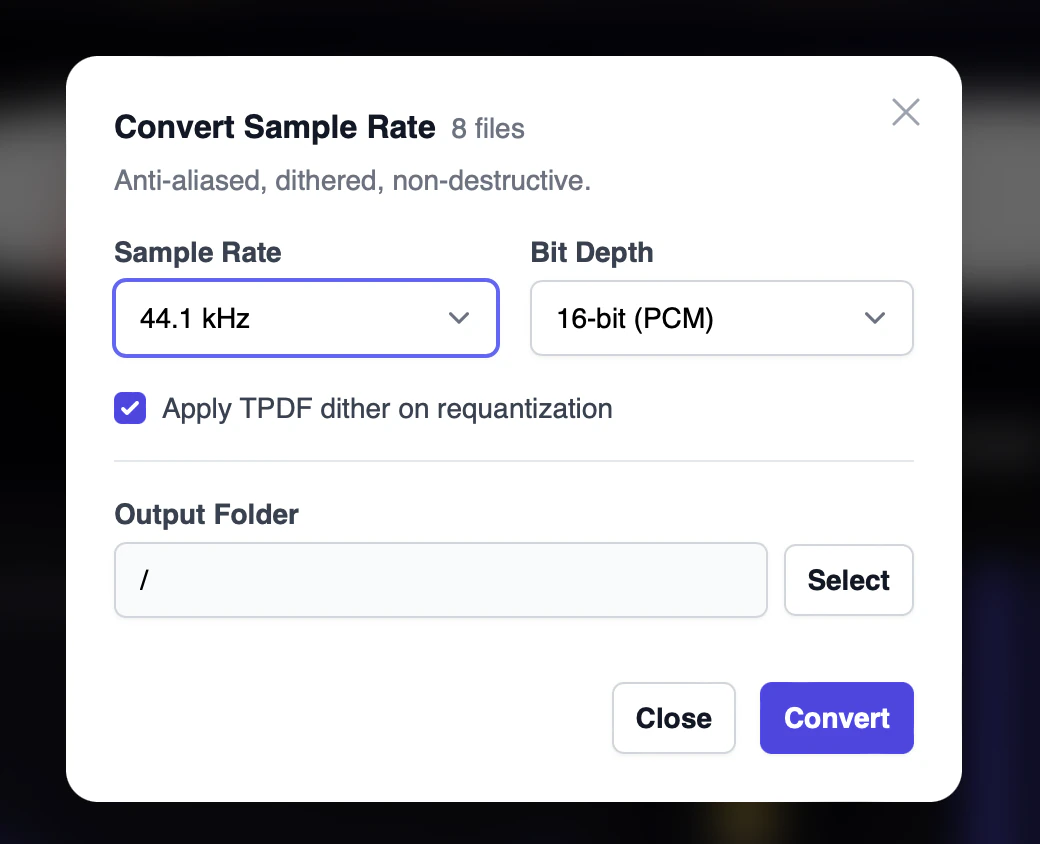
Sample-Rate Conversion
Downsample without the artifacts
Convert between 44.1, 48, 88.2, and 96 kHz at 16- or 24-bit PCM or 32-bit float, non-destructively and in batch. A polyphase Kaiser-windowed sinc filter with 150 dB of stopband attenuation and TPDF dither means nothing folds back into your audio: no aliasing, no artifacts, just a clean conversion.
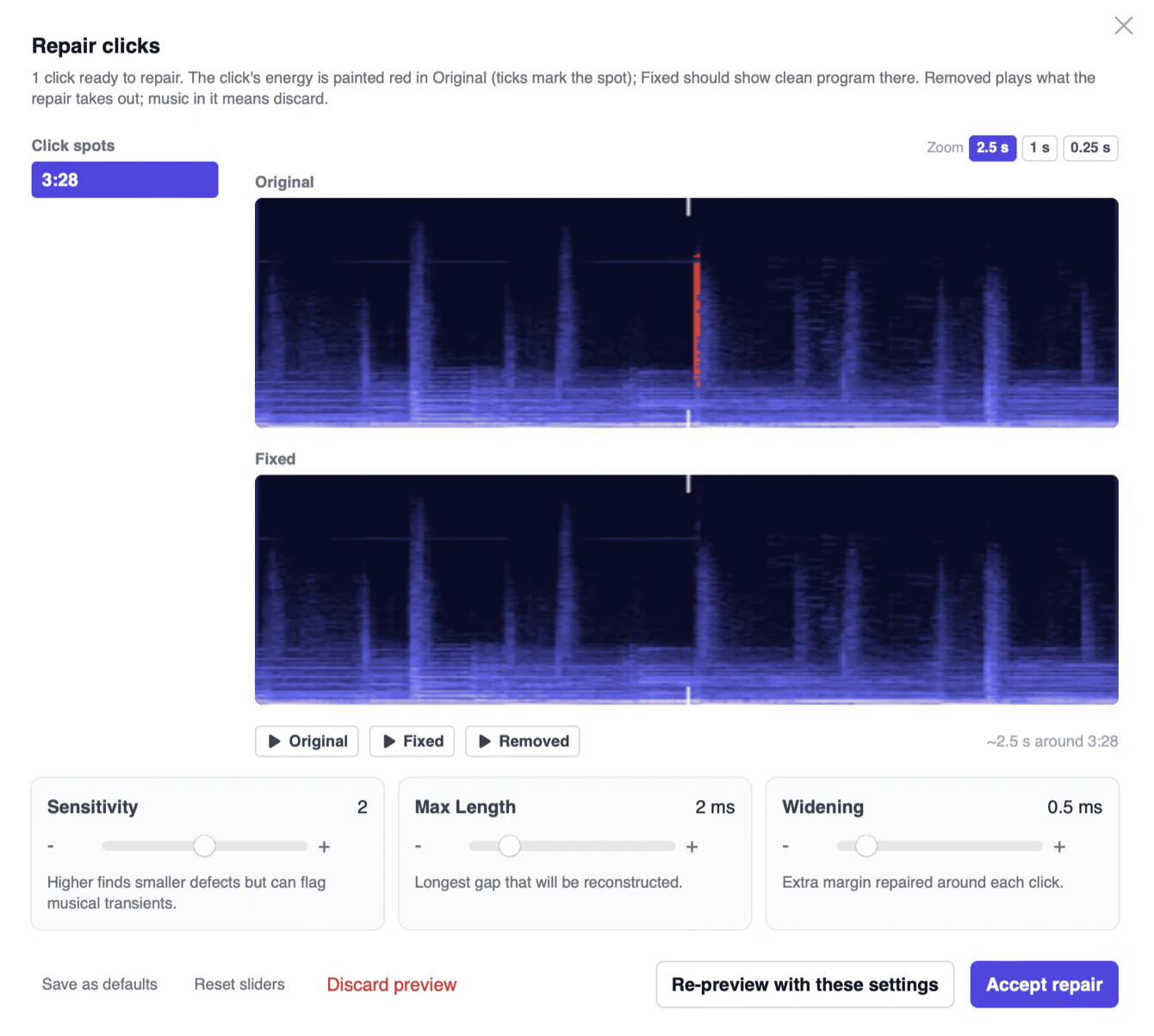
Repair
Fix it with one click
When AMIE finds a click, press Fix. De-click repairs the damage, re-verifies the result, and writes a clean “(fixed)” copy alongside your original, with no round trip to another tool. De-clip rebuilds clipped peaks that sit below full scale. Audition the repair before you commit, and revert at any time.
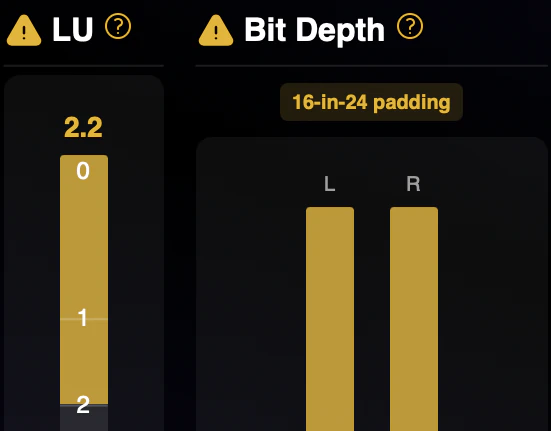
Bit-Depth Monitor
Know your true bit depth
A 24-bit file can hide 16-bit content. The bit-depth monitor reads what's actually in the audio, not just the container, so truncated or padded files never slip into a delivery.
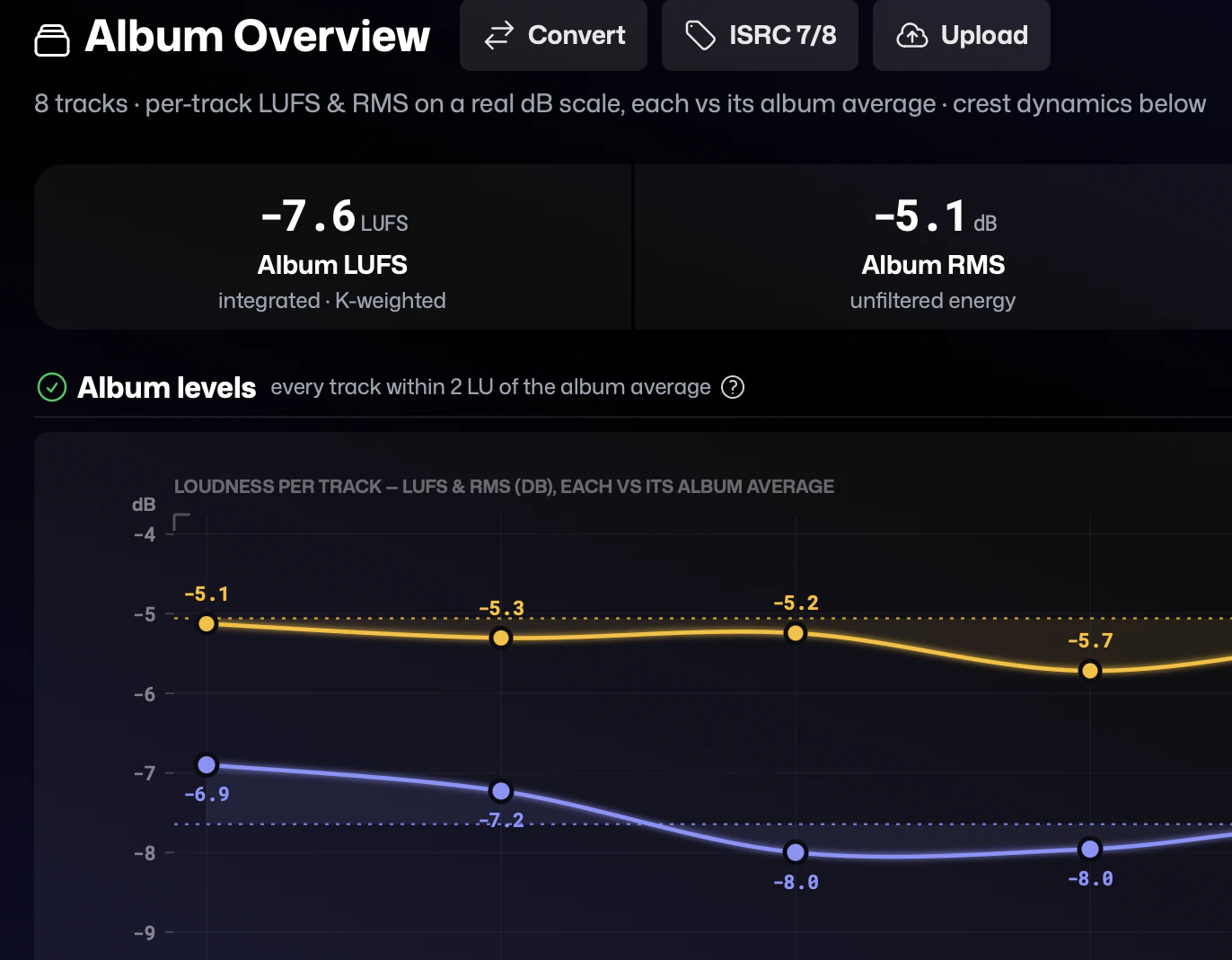
Album Overview
QC the whole record at once
See every track of a release side by side: levels, loudness, and issues in one view. Spot the outlier before your client does and deliver albums that hold together from first track to last.
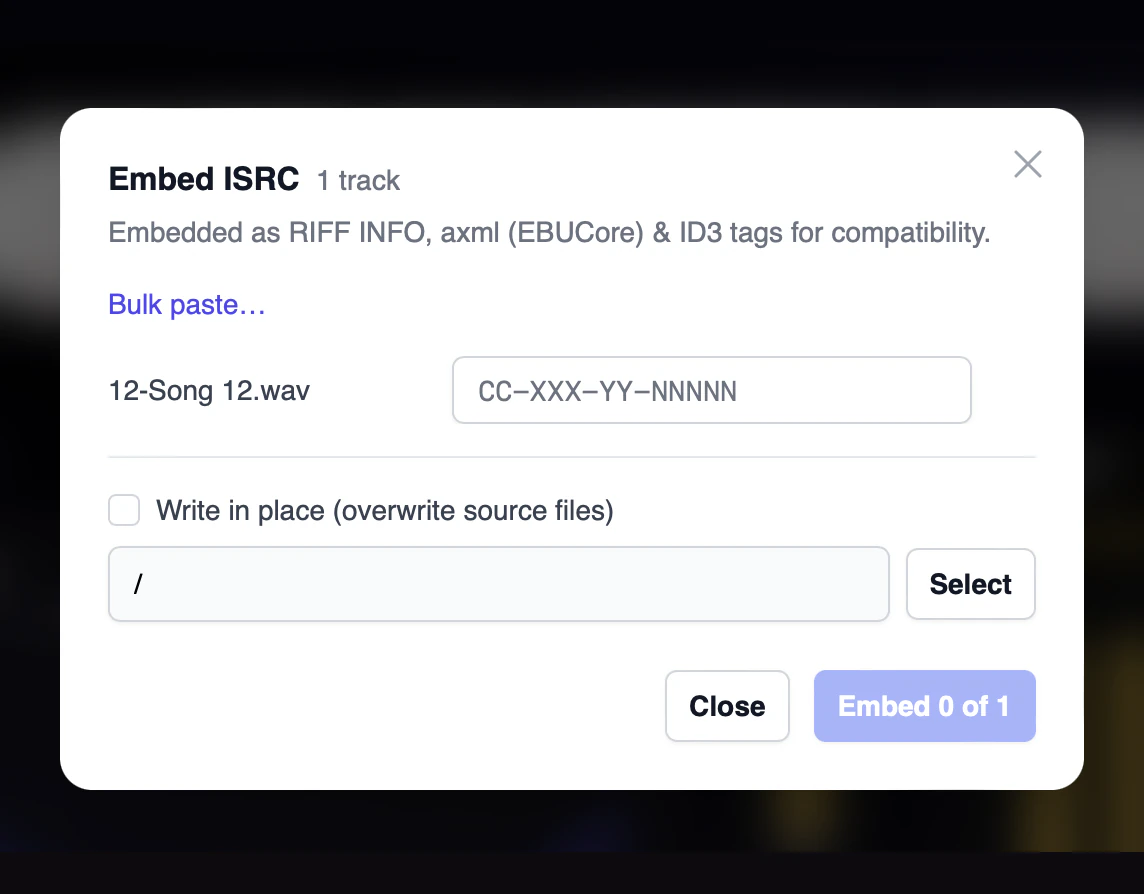
ISRC Embedding
Codes that travel with the file
Embed ISRCs directly into your deliverables per EBU Tech 3352, so the identifier stays with the audio through every distributor handoff.
Dolby Atmos
QC for immersive masters
Bring ADM BWF Atmos masters into the same automated QC workflow you trust for stereo, with per-channel checks built for immersive deliverables. Loudness is measured on a stereo fold-down.
Everything in AMIE
Every check, fix and delivery step, in one list.
Analyze
- Clicks, pops, drops and distortion, flagged in seconds
- Integrated loudness, true peak and dynamic range
- Tonal tilt and stereo imaging
- True bit depth, including 16-in-24 padding
- Batch analysis of whole folders
- Watch folder with a notification when a new file has issues
- Album overview: every track of a release side by side
- Dolby Atmos ADM BWF masters with per-channel checks
Fix
- One-click De-click, re-verified after the repair
- De-clip rebuilds clipped peaks that sit below full scale
- Audition before you commit, revert at any time
- Clean “(fixed)” copies written next to your original
- Sample-rate conversion between 44.1, 48, 88.2 and 96 kHz at 16- or 24-bit PCM or 32-bit float, with TPDF dither
Injector
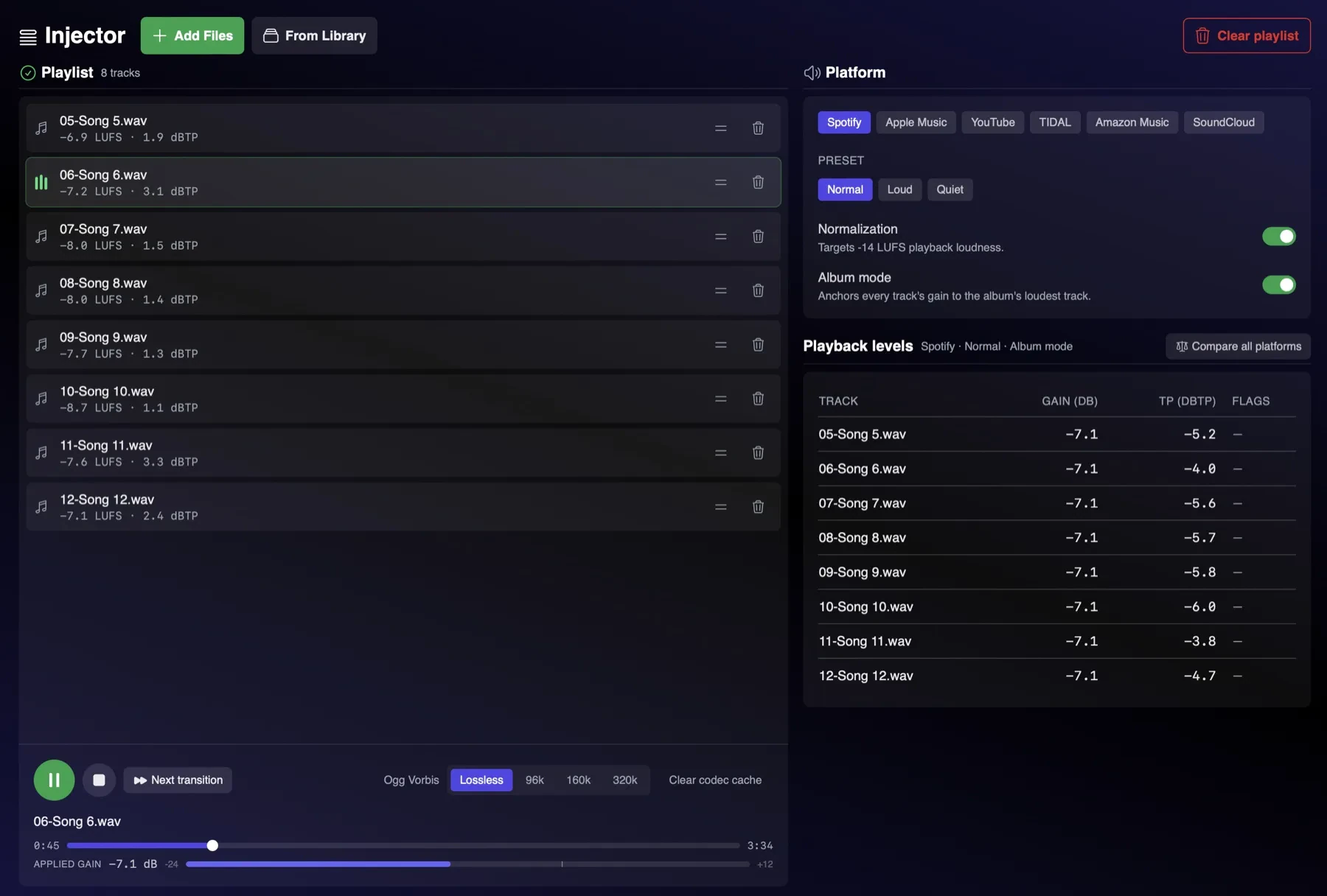
Hear what streaming will do to your master before you deliver.
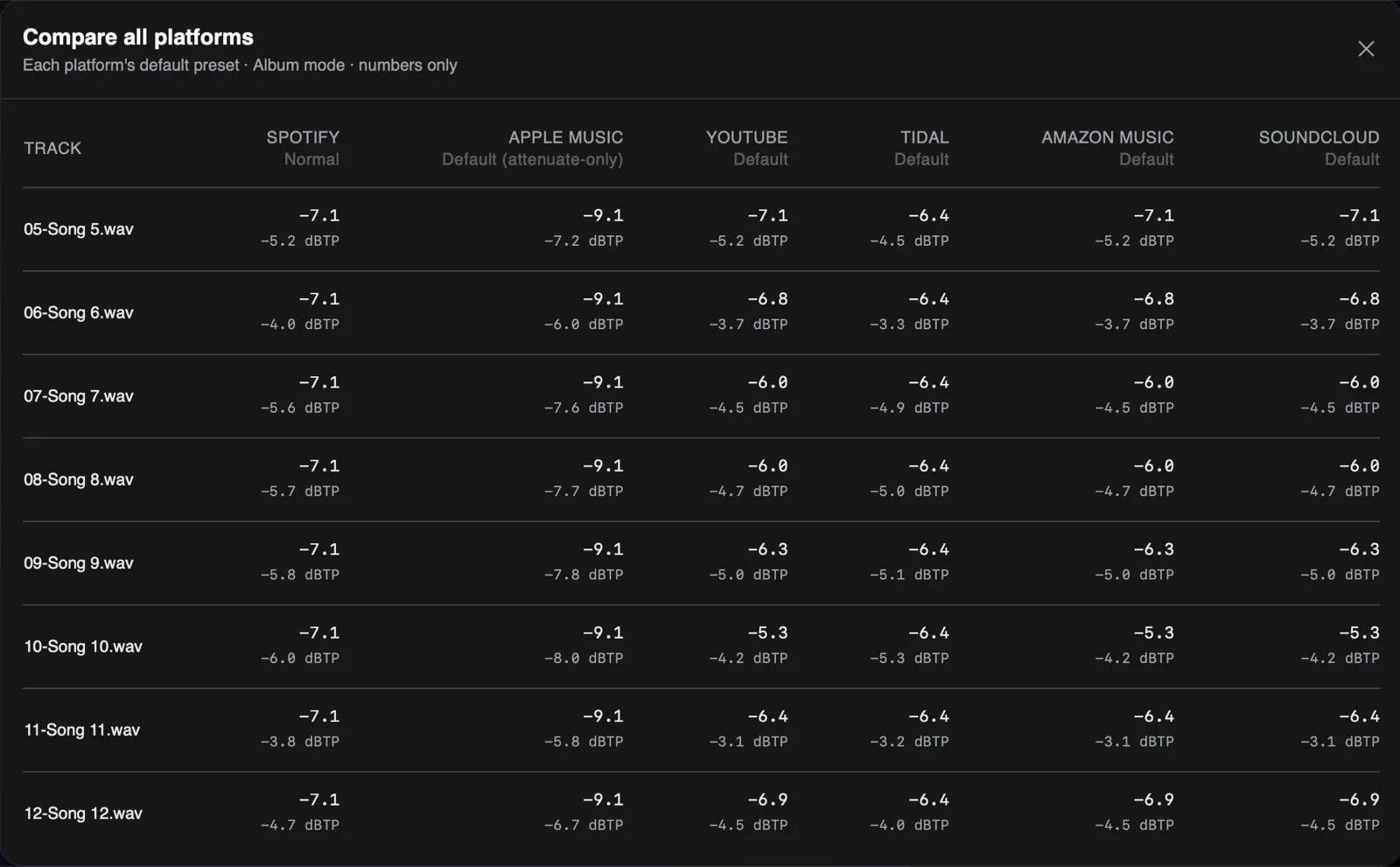
Every platform turns your master up or down to its own loudness target, and a hot master can pay a true-peak penalty on the way. Load a playlist into the Injector and AMIE shows the normalization gain and peak penalty for each track on each platform, side by side in one table, with a codec preview you can A/B against your master.
- Spotify
- Apple Music
- YouTube
- TIDAL
- Amazon Music
- SoundCloud
Save Time, Build Trust, Do More
Own it outright, or subscribe.
Annual
Billed annually. Cancel anytime.
USD
per year
macOS 12.3+ on Apple Silicon only. Not for Windows or Intel Macs.
What's Included:
- Full AMIE feature set
- Anomaly detection, repair, and delivery tools
- All updates included while subscribed
- Cancel anytime; app access ends when the subscription ends
Perpetual
One-time purchase. Yours to keep.
USD
one-time
macOS 12.3+ on Apple Silicon only. Not for Windows or Intel Macs.
What's Included:
- Full AMIE feature set
- Anomaly detection, repair, and delivery tools
- Own it forever, no subscription
- Free updates for the current major version
- Discounted major-version upgrades
System Requirements
What you need to run AMIE
Operating System
macOS 12.3 or later
Processor
Apple Silicon (M1 or later). Intel Macs and Windows are not supported.
Audio Files
WAV and FLAC
Storage
Under 10 MB download, plus space for your audio
Internet
Required for activation; works offline for up to 14 days
Display
1440x900 or higher resolution