Quality control is rarely about one song. It is about the twelve masters that came back from the mastering engineer this morning, or the back catalogue a label wants to re-release next quarter. Checking them one at a time is slow enough that it tends not to happen.
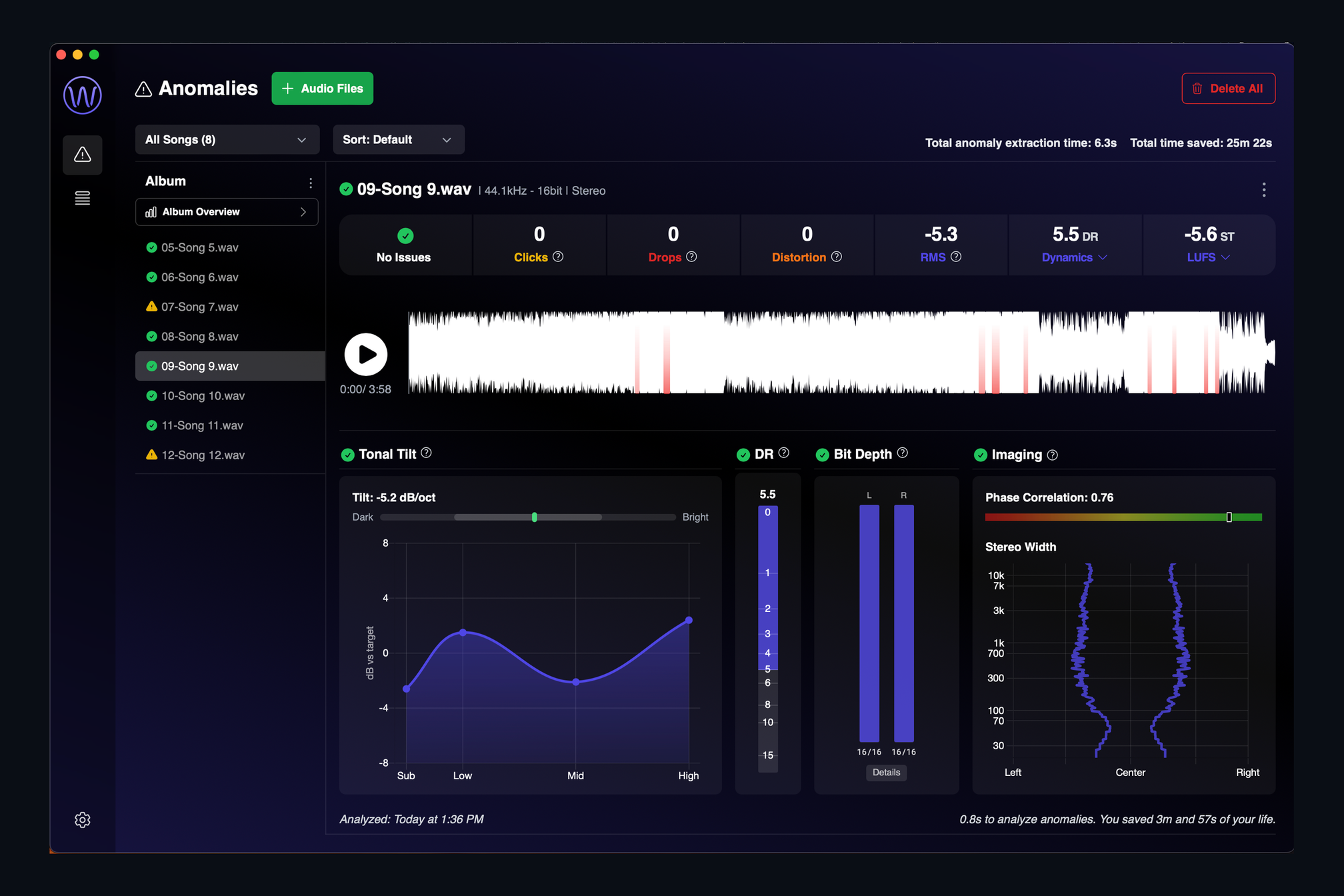
AMIE works in batches. Select or drag in an album's worth of WAV or FLAC files, up to a hundred at once, and the analysis runs on several songs in parallel. Each track appears in the song list on the left with a badge: a green check when it is clean, a warning when something needs a look. Click a track and its full report opens on the right, with the stats row, the waveform and the loudness, tilt, bit depth and imaging panels.
Built for the way releases arrive
- Files that belong to the same album are grouped, and the group gets an Album Overview with every track side by side.
- The header keeps a running total of how long the analysis took and how much listening time it saved you. On a full album that is usually measured in tens of minutes.
- Sort the list, filter it to Issues Detected, and work through them in order.
When the batch is done you have a complete picture of the release, not a vague memory of the three tracks you managed to listen to.
Keep reading
This post is part of a series that walks through everything AMIE does. See the whole list on the AMIE product page, or see plans and pricing.
- Next in the series: Watch folder: analysis that runs itself
- Previous: True bit depth, including 16-in-24 padding