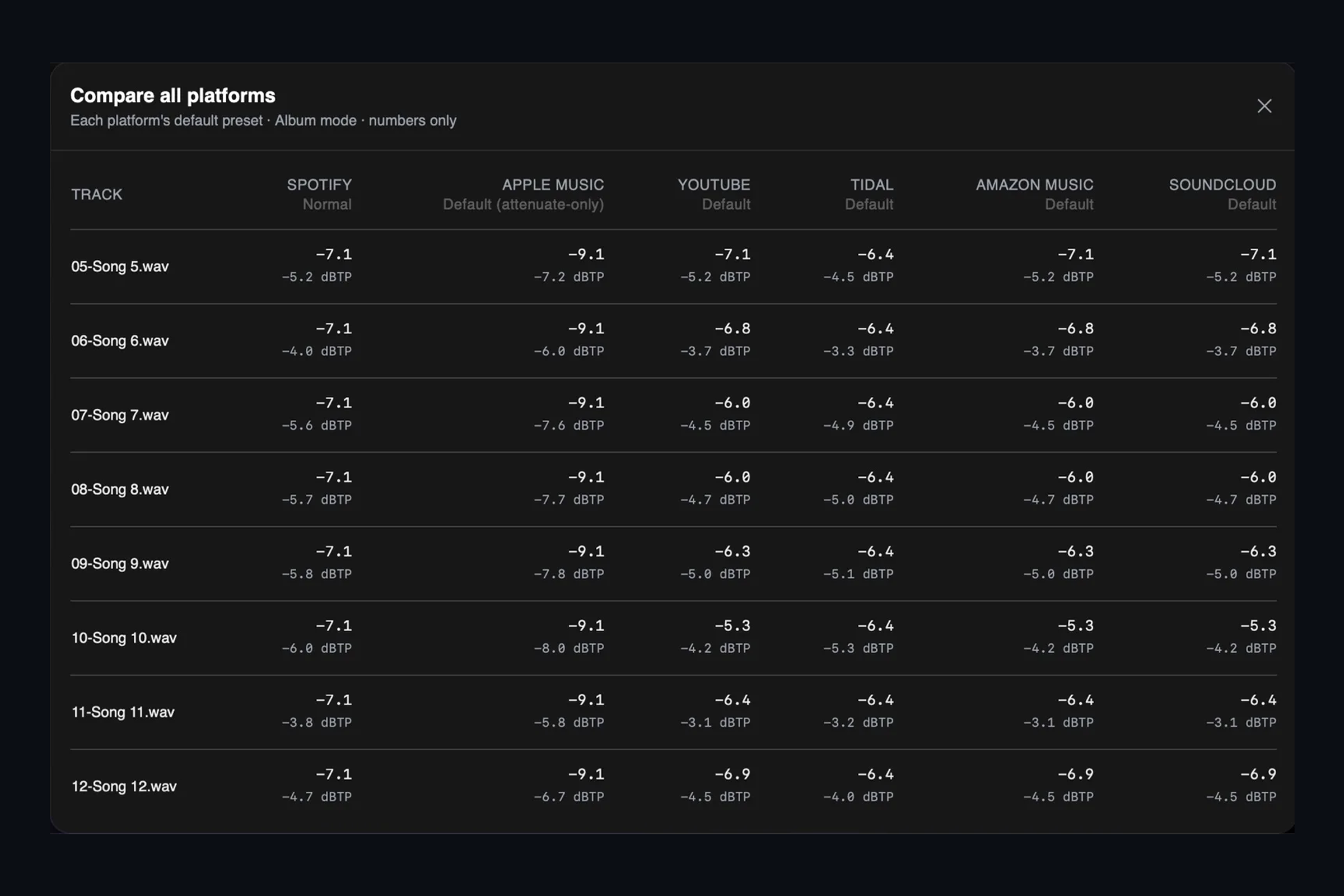
Once you have checked a release against one platform, the next question is always "and what about the others?" Flipping between six services for twelve tracks is seventy-two things to remember. The Compare all platforms table remembers them for you.
Open it from Injector and every track becomes a row, every platform a column. Each cell shows two numbers: the gain that service will apply to that track under its default settings, and the true peak the track will have after that gain. Where a platform will limit, clamp or protect peaks, the cell carries the same badge you see in the main table.
Reading the grid
Read across a row and you see how one song fares everywhere. A master that is turned down by seven decibels on Spotify and nine on Apple Music is simply louder than those services want, and no amount of extra level will survive the trip. Read down a column and you see how consistent the album is on that platform. If one track is being treated very differently from its neighbours, the Album Overview will usually show you why.
The table uses exactly the same arithmetic as the playback levels table, so what you see here is what you will hear if you press play on any of those platforms in Injector.
Why this is worth a screen of its own
Loudness decisions are trade-offs between services. Mastering for the most generous platform costs you on the strictest one, and vice versa. Seeing the whole matrix at once turns that from a guess into a choice you can defend to a client in a sentence.
Keep reading
This post is part of a series that walks through everything AMIE does. See the whole list on the AMIE product page, or see plans and pricing.
- Next in the series: Upload to Dropbox or Samply and copy the share link
- Previous: Codec preview you can A/B against your master