Finding a click is only half the job. The other half is removing it without leaving a mark, and then being sure you actually did. AMIE handles both.
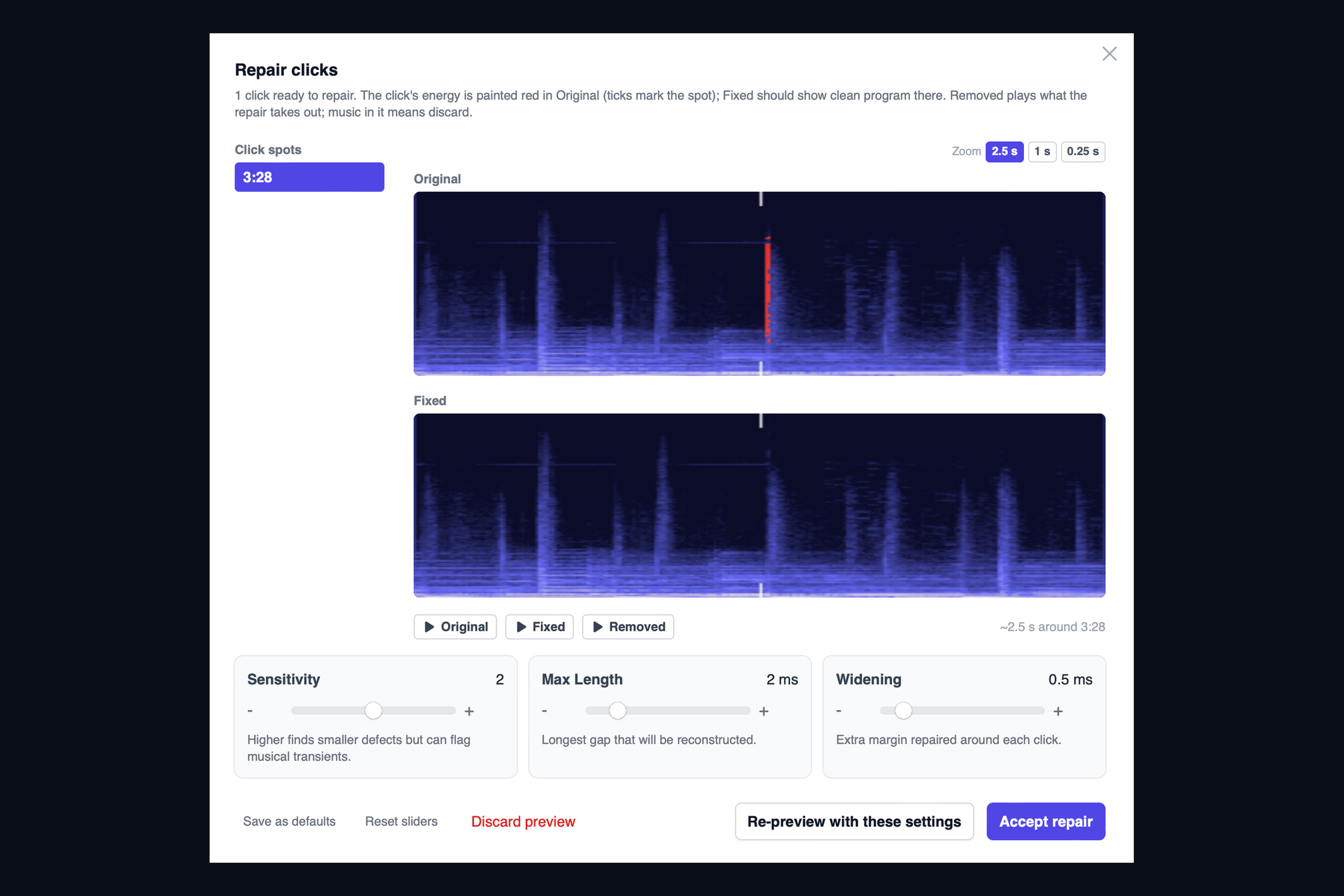
When the detector flags a click, the song gets a Repair Clicks button. Press it and the Repair sheet opens with two spectrograms. The top one is the original, with the click's energy painted red at the exact spot. The bottom one is the repaired version, which should show nothing but music where the red was. The repair rebuilds the few hundred samples under the click from the music on either side, so there is no gap, no dip and no softened transient.
Listen before you decide
Three buttons sit under the spectrograms. Original plays the click. Fixed plays the repair. Removed plays only what the repair took out, which is the honest test: if you hear music in it, the repair reached too far, and you can widen or narrow it with the sliders and preview again.
Checked twice
Here is the part that makes it safe to use on a client's master. Before AMIE writes anything, it runs the click detector again on the repaired audio at the same sensitivity. If a trace of the click is still there, or the repair left a hole in the spectrum or a dip in level, the save is refused and you are told why. A repair only goes to disk when the same detector that found the problem agrees it is gone.
Accept the repair, press Save, and a clean copy is written next to your original.
Keep reading
This post is part of a series that walks through everything AMIE does. See the whole list on the AMIE product page, or see plans and pricing.
- Next in the series: De-clip rebuilds clipped peaks that sit below full scale
- Previous: Dolby Atmos masters, checked channel by channel