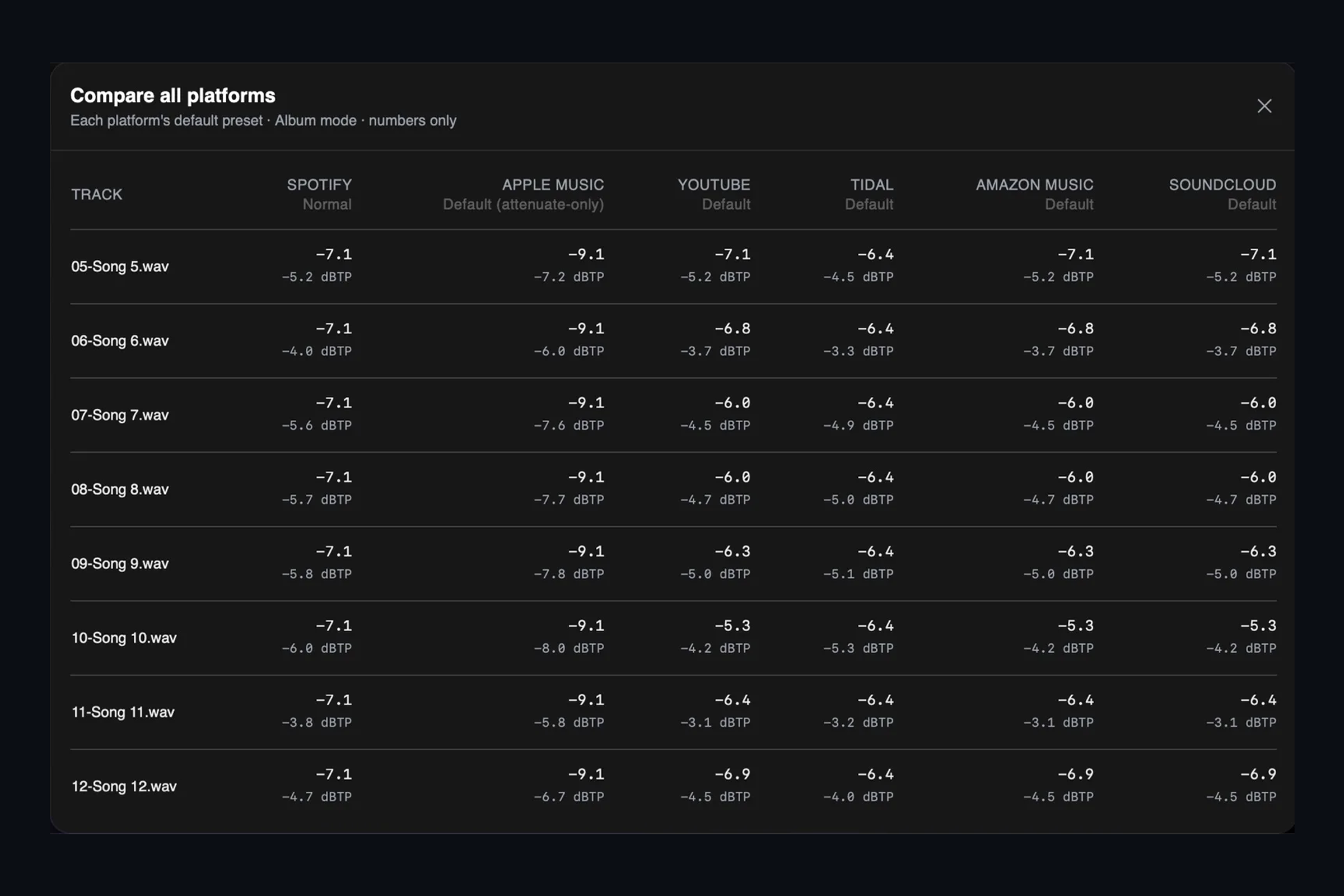
Every major streaming service adjusts the playback level of your music so listeners are not reaching for the volume between songs. Most of them turn loud masters down. A few turn quiet ones up. If you master louder than a platform’s target, the extra loudness is simply removed on playback, and whatever you traded away to get there stays gone.
This is the quick reference we use ourselves. We check it against each platform’s published documentation and update it when the rules change, so bookmark it rather than screenshot it.
The table
| Platform | Target | Turns quiet tracks up? | Album playback | Can listeners turn it off? | Delivery codec |
|---|---|---|---|---|---|
| Spotify | −14 LUFS (Normal); −11 Loud; −19 Quiet | Yes, as long as the true peak stays at or below −1 dBTP. Loud mode uses a limiter instead | Album mode levels the whole album by its loudest track | Yes | Ogg Vorbis, 96 to 320 kbps |
| Apple Music | −16 LUFS | Not by default. Sound Check turns loud tracks down | Album treated as a whole (not documented by Apple) | Yes | AAC 256 kbps |
| YouTube | About −14 LUFS (observed; YouTube has never published a figure) | No | Track by track | No | Opus 128 kbps |
| TIDAL | −14 LUFS | No | Album treated as a whole (not documented by TIDAL) | Yes | Lossless and AAC tiers |
| Amazon Music | −14 LUFS | No | Track by track (album behaviour unpublished) | Yes | AAC 256 kbps |
| SoundCloud | −14 LUFS | No (undocumented) | Track by track | Yes | Opus 64 kbps (Free and Pro); AAC 256 kbps (Go+) |
What the numbers mean
LUFS is a loudness measurement that tracks how loud a whole song feels, not how tall its peaks are. A platform measures your track that way, compares the result with its target, and applies one fixed gain change to the entire song. Nothing is compressed or limited on the way down, and the balance of your master is untouched. It simply plays quieter.
Turning down is harmless. Turning up is where it gets interesting.
A loud master loses nothing but its loudness. A quiet, dynamic master is a different story. Only Spotify turns quiet tracks up, and it does so only while the true peak stays at or below −1 dBTP. A dynamic master whose peaks already sit near full scale cannot be raised far, so it can end up playing a little quieter than the louder songs around it. Every other service in the table leaves quiet tracks alone.
That is why “master to −14” is not advice. Master so the song sounds right, then know what each platform is going to do with it.
Albums
Spotify’s album mode normalizes a whole album by its loudest track, so a quiet interlude stays quiet in context. Apple Music and TIDAL appear to treat albums the same way, though neither documents it. Amazon Music and SoundCloud level each track on its own.
The small print, per platform
- Spotify publishes its three listener settings and the −1 dBTP boost cap. Spotify for Artists: loudness normalization
- Apple Music documents Sound Check and the −16 LUFS reference. Boosting quiet tracks is an option, not the default. Apple: Sound Check
- YouTube has never published a target. Measurements across the industry land at about −14 LUFS, normalization is always on, and quiet tracks are not raised.
- TIDAL documents its audio tiers; the −14 LUFS figure and the album behaviour come from its help center and from measurement. TIDAL: audio quality
- Amazon Music documents loudness normalization at −14 LUFS and does not describe album handling. Amazon Music: loudness normalization
- SoundCloud documents −14 LUFS and says nothing about boosting. SoundCloud: will my track play at the level it was mastered?
Hear it before you release it
Reading the table is one thing. Hearing what Spotify will do to your master is another. AMIE’s Injector runs exactly these rules on your file: it shows the gain change and the resulting true peak for every platform in one table, and lets you A/B your master against the platform’s own codec at the level it will actually play. We keep Injector’s rules and this table in step, so when a platform changes its mind, both change with it.