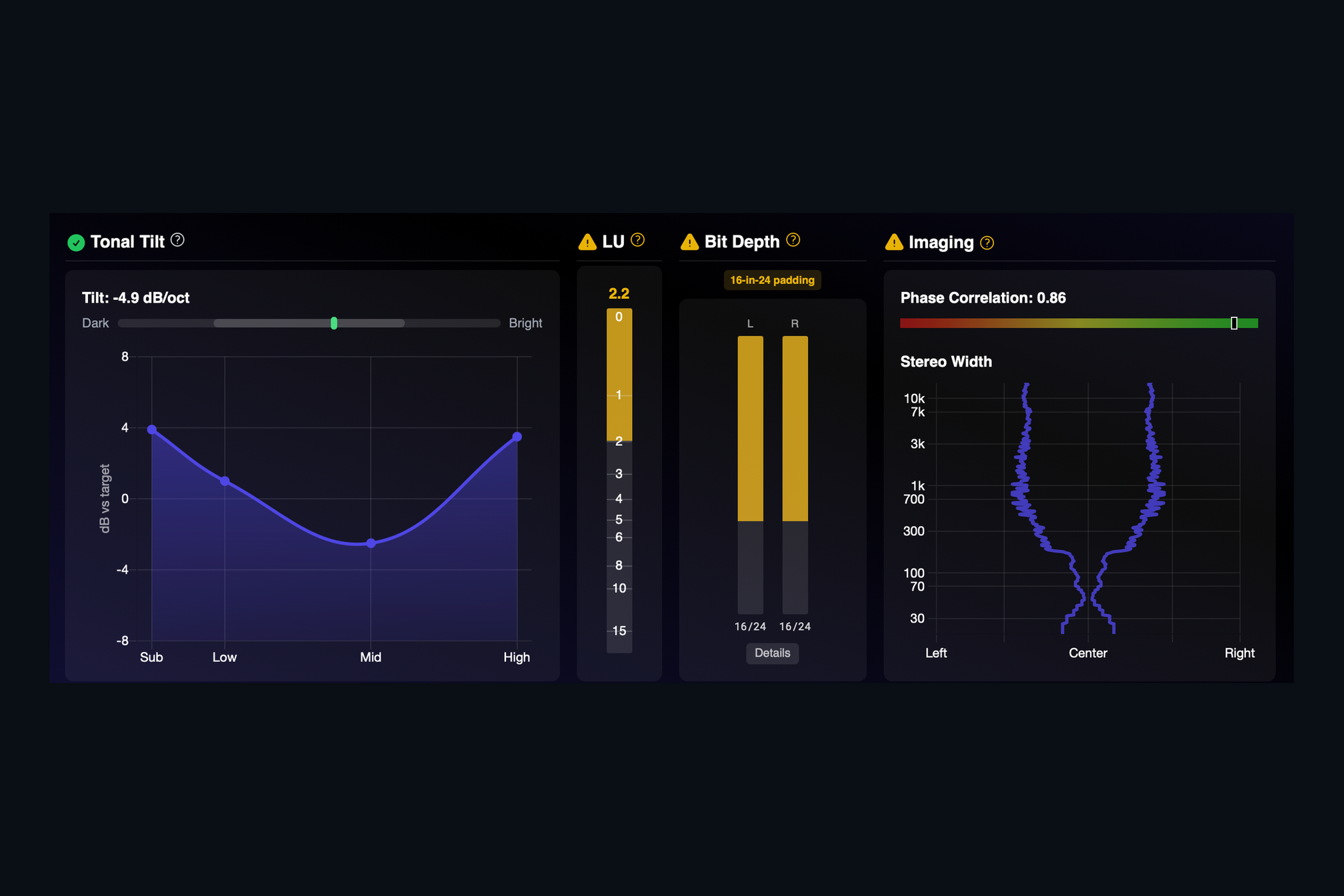
Two questions come up on almost every mastering revision: "is it too dark?" and "is the stereo image doing something strange?" Both are hard to answer with confidence when you have been listening to the same song for hours. AMIE answers them with a picture.
Tonal tilt
AMIE averages the spectrum of the whole song and compares it with a reference. The result is one number, the tilt in decibels per octave, and a curve across four bands: Sub, Low, Mid and High. The slider at the top shows whether the song leans dark or bright, and any band that falls outside the reference range turns amber. A song that is bass-heavy for a reason will still show as bass-heavy. The chart just makes sure it is a choice and not an accident.
Stereo imaging
The Imaging panel shows two things. The phase correlation bar tells you how well the left and right channels agree. Readings near the right end are mono-compatible; readings that cross into the red mean something in the mix will cancel when the song is played on a single speaker. Below it, the stereo width plot shows how wide the image is at every frequency, from the sub up to the top. Bass that is spread wide, or a top end that collapses to mono, is obvious at a glance.
Both panels sit next to the loudness and bit depth readings, so the whole picture of a master is on one screen.
Keep reading
This post is part of a series that walks through everything AMIE does. See the whole list on the AMIE product page, or see plans and pricing.
- Next in the series: True bit depth, including 16-in-24 padding
- Previous: Integrated loudness, true peak and dynamic range